Acer Predator Helios 300 and Manjaro GNU/Linux
I recently decided to upgrade my notebook, after doing some research I found the Acer's Predator very attractive in terms of hardware features, so I decided to get one.
The equipment has an intel i7 10th generation, 16 GB of RAM, an nvidia rtx2060, an incredible screen, and a badass look.
When the equipment arrived, the first thing after unboxing it, was to try to install Manjaro on it. And this is how our journey starts.
Enabling more possibilities, disabling Optane Data Raid
To be able to let Manjaro recognize our hard disk, the first thing to do (and maybe the lazy path, because with researching maybe a better solution come up), it's to disable the Raid mode (useless in case you have one disk, and something that I prefer to solve by other ways if I need it in the future, for example, with LVM).
To do it, you need to enter to the Predator's bios (pressing F2 after power up the machine), and enable a secret feature pressing Ctrl+s at the Main tab of the bios (in advance mode). From there, you will see the option SATA Mode, with can now be changed to AHCI.
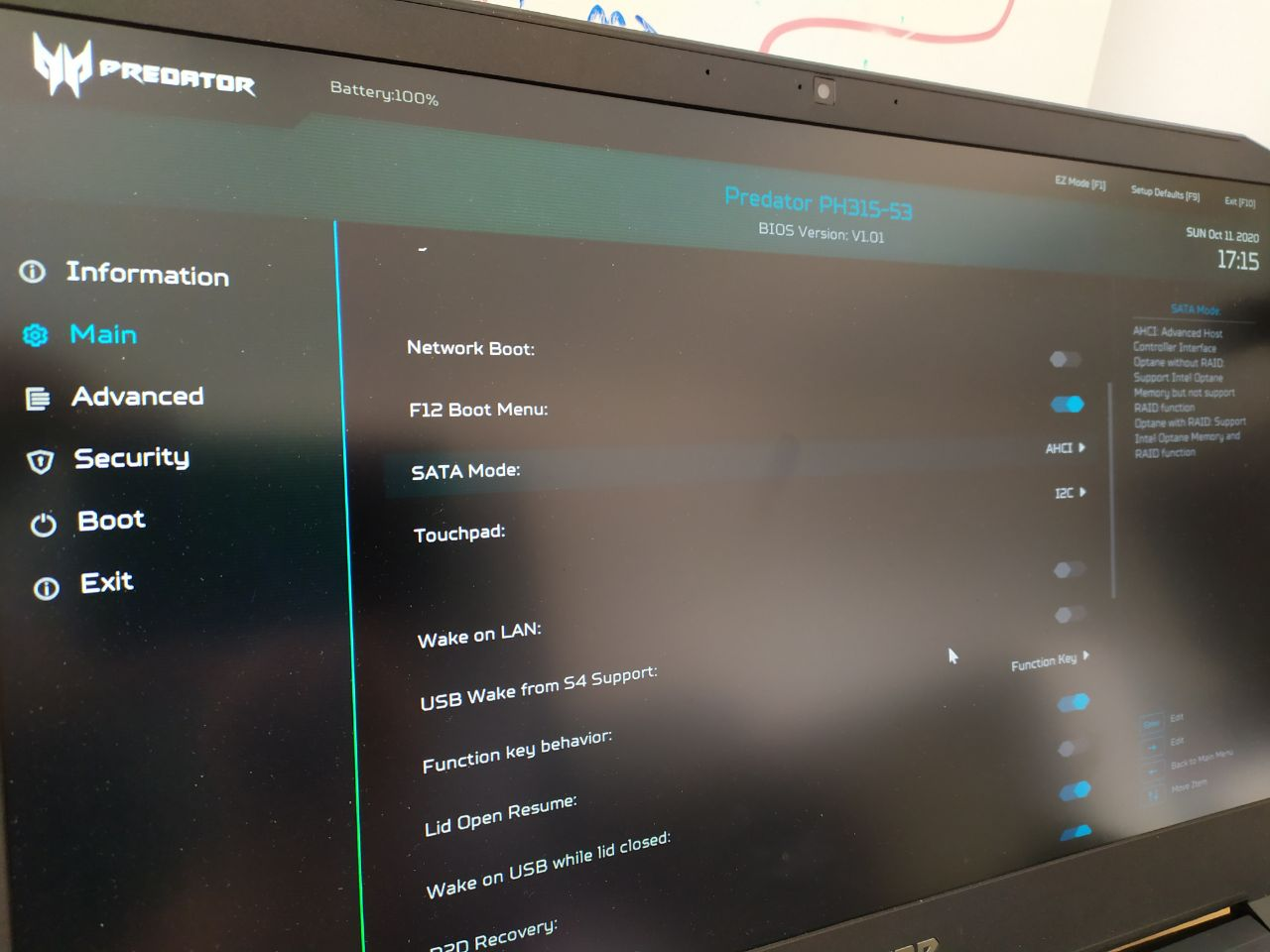
From there, you can advance into a standard installation, it's up to you to remove the windorch partition or resize it, and install our operative system.
Installing nvidia drivers, i32 libs and optimus-manager
After installing our system, we will need to install the nvidia's propietary drivers, they perfom really great with GNU/Linux.
See which kernel do you have
$ uname -a
Linux predatora 5.4.67-1-MANJARO #1 SMP PREEMPT Wed Sep 23 14:20:18 UTC 2020 x86_64 GNU/Linux
After that, install a matched driver
sudo pacman -Sy nvidia
And if it makes you any question, respond with something like linux54-rt-nvidia-450xx-450 that should match your kernel version and nvidia driver version (today, 450 was the latest).
Also you will need some libs from the AUR if you want to play games with 32bits support (I like to use pikaur, but yay, yaourt, or another AUR manager can be used):
pikaur lib32-nvidia-utils
You will need to install optimus-manager to controll which GPU use, you can use the intel one, the nvidia one, or both
pikaur optimus-manager
It has a nice UI to config, that you can launch with optimus-manager-qt, but you will need first to enable and start the service
sudo systemctl enable optimus-manager && sudo systemctl start optimus-manager
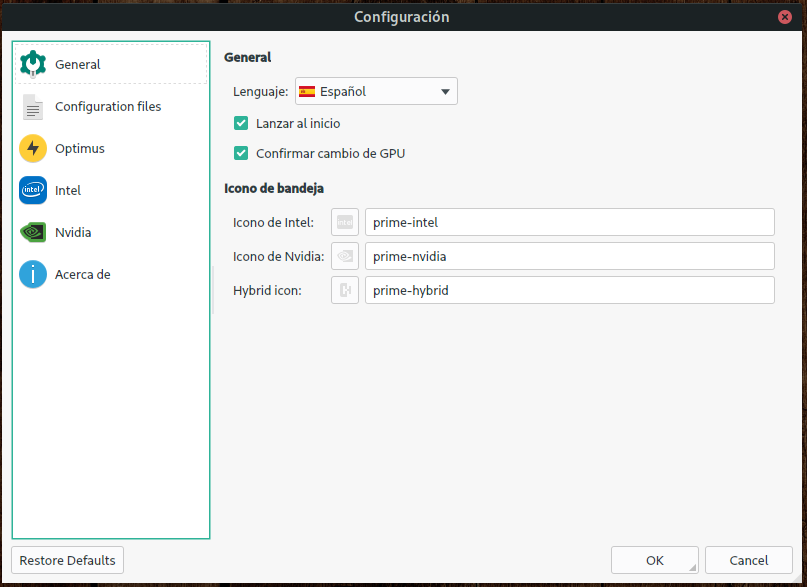
Enjoy
Now you can choose whatever you want to play, at the time of this writting I'm enjoying a lot to exlore a universe at No Man's Sky.
